Ready to send your drawings?
Upload your files in the Quote Request Form. Your quote will have a Buy Now link to order.
Drawings – Best Practices
General
Our process allows us to replicate your designs from the drawing file directly. We need a clean, scaled drawing to send to the laser engraver. Typical examples include Machine Data Plates, HMI Overlays and OEM applications. We process drawings using CorelDraw and AutoCAD LT.
- Only full scale drawings
- Put all items in ONE drawing file
- No scanning or faxing
- No hatching or color fills
- Thin lines (hairline or 0.01mm) will cut.
- Thick lines (0.25mm and over) will be engraved.
- Maintain at least 0.060" between any engraved text or graphics to any cut edge.
- No hidden lines
- Use Arial Font for text to be engraved
- Max size is 24" x 24" for plastic, 8" x 8" for metal engraving.
- Drawing colors are black and white only – black will be engraved.
- All text will be engraved.
Text Fonts
Please use Arial Font. Single-line fonts like Simplex or Romans do not engrave well. Other sans serif ttf fonts are acceptable also, but avoid tiny tails (serif fonts like Times New Roman).
Drawing Layers
Our software imports all layers in dwg files, even Off or Frozen layers. To avoid problems with importing, please remove all drawing objects from unseen layers. Only 1 layer should have content.
The Laser Sees All
That means hidden lines will be cut. Two lines stacked on top of each other will cut twice. You can't hide anything from the laser.
File Format
The best file format often depends on the software. The table below will provide a starting point. See drawing examples below.
| Drawing Software | Preferred Format | Notes |
|---|---|---|
| Autodesk AutoCAD | *.dwg | Avoid *.shx fonts, use Arial Font. |
| 3D – Solidworks, Inventor, etc. | Must be exported from the software directly. No printing and scanning. Avoid pdf distillers if possible. Text must be filled black. | |
| Visio, Illustrator, TurboCAD, all others | Must be exported from the software directly. No printing and scanning. Avoid pdf distillers if possible. Export Text as Text (rather than as outlines or curves). |
Dimensions
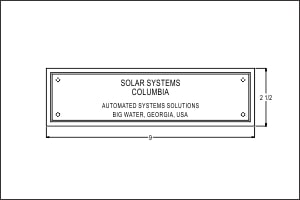
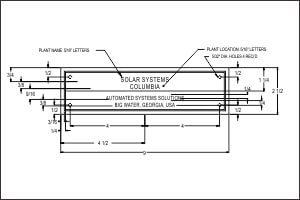
Detailed dimensions are not required. It is good practice to provide overall dimensions so we can check the scale after importing. This is especially important if using the *.pdf format. All dimensions must be manually removed prior to manufacturing, so fewer is better.
Drawing Details
Remove details that are not to be cut or engraved.
Color Filling
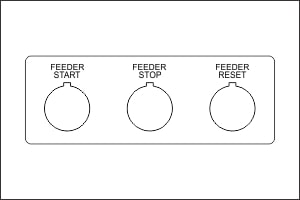
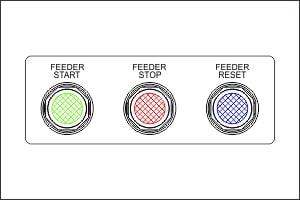
Use drawing notes to indicate colors. Color filled areas and hatching are not supported.
Outlines or Edges
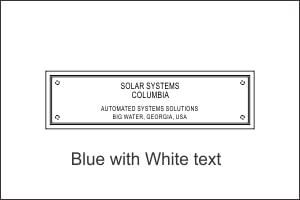
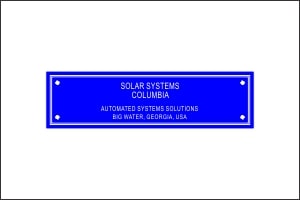
Single line edges only. No bevels or thin rectangles for edges. Try to avoid hidden lines (lines stacked on top of each other).