
We automatically email tracking numbers to the address on your account. If you don't see one, check your junk or spam folder, since spam filters sometimes flag tracking emails. You can also find tracking numbers online, as shown below.
Get Tracking Numbers Online
- Log in to your account and open the Orders and Tracking page to see your past orders.

- Open an order. The tracking number appears in the order header:
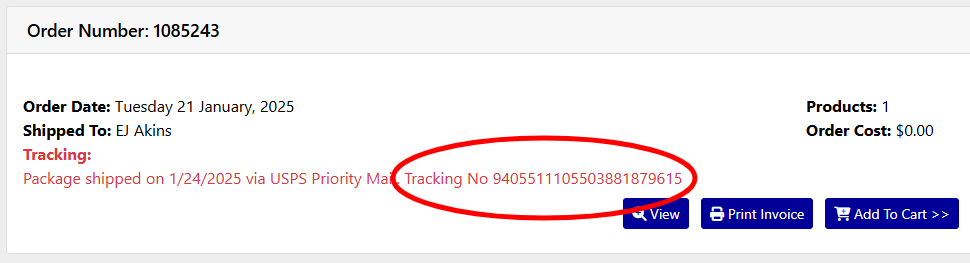
- Copy and paste your tracking number into Google Search. Google recognizes tracking numbers from all of our carriers.
Delivery Issue?
As always if you have any delivery issues, just let us know and we can help!
Contact Us